

Documents stay usable
PDF, DOCX, Markdown, TXT, and CSV files become searchable workspace context instead of isolated attachments.
Bring files and approved read-only API operations into one workspace. Keep the supporting sources visible and continue the same conversations on Web, iPhone, and iPad.
Most teams already have the source material. ContextStacker gives them a clearer way to add it, ask about it, and check what supported the answer.
PDF, DOCX, Markdown, TXT, and CSV files become searchable workspace context instead of isolated attachments.
Import OpenAPI resources, enable approved read operations, and let chat run them only when current data is needed.
Each conversation keeps sources visible so teams can inspect the document or API result behind an answer.
Start with the files and API catalogs a team already uses. ContextStacker parses documents, executes enabled API operations when needed, and keeps the resulting sources available for review.
Upload documents or import OpenAPI resources from the Web workspace.
Turn uploaded files into readable context and keep API operations behind explicit enablement.
Ask across documents and workspace knowledge, or run enabled API operations for current data.
Open source references and review recent workspace activity in the Web workspace.
ContextStacker combines document parsing, controlled API execution, sourced answers, conversation history, and workspace management.
Add document assets and API resources from one workspace flow.
Turn uploaded PDFs, DOCX, Markdown, TXT, and CSV files into searchable context for workspace answers.
Import OpenAPI resources and let chat execute enabled read operations with configured credentials.
Continue conversations across devices and switch workspaces without losing the surrounding context.
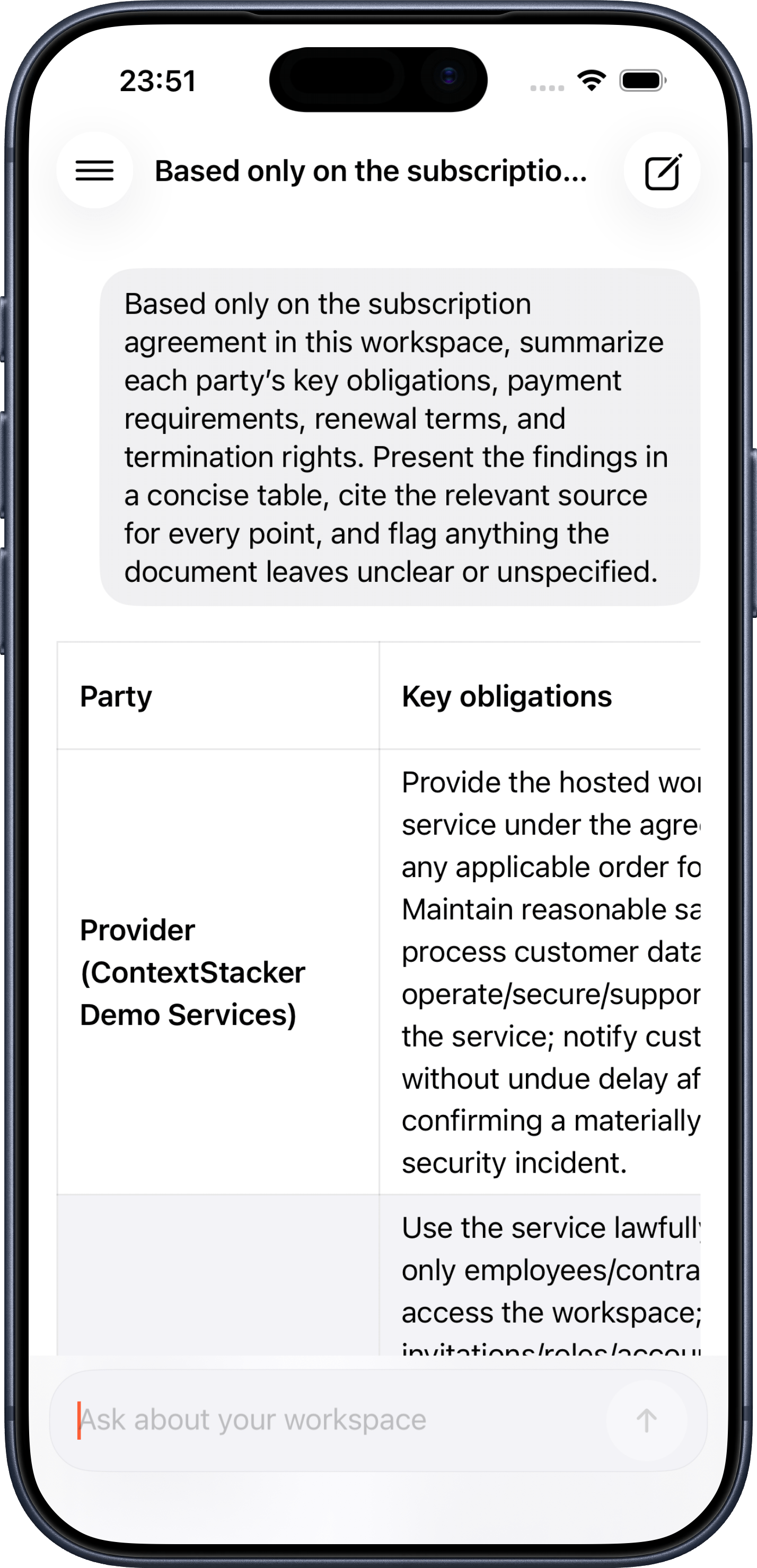
Sign in with the same account to continue workspace conversations on iPhone and iPad. Ask across workspace documents, receive answers that can use enabled APIs, and see the source information attached to each response.
Use the Web workspace to manage documents, API resources, members, and workspace settings. The iPhone and iPad app is designed for everyday questions, history, sources, plan details, and usage on the move.
Start a new chat or return to workspace history without rebuilding context on another device.
Review the document and API source information cited by each response.
Switch workspaces and review account, plan, usage, and signed-in devices from the app.
Free for iPhone and iPad. Requires iOS or iPadOS 17.0 or later.
The strongest first deployment is a workspace where answers live in documents and current operational data can be retrieved through approved API operations.
Let teams ask across product documentation, API catalogs, examples, and support notes from one chat surface.
Use policies, reports, and shared files to answer recurring operational questions with source context.
Execute enabled API operations from chat while keeping operation selection, credentials, and request scope controlled.
Email product support for account, subscription, or privacy questions. For a team rollout or partnership, tell us where important answers are spread across documents and APIs.
Bring trusted documents and read-only APIs into one sourced workspace.